Install BexyTV on
every device you own.
Install the official BexyTV app on compatible Android, Android TV, Google TV and Fire OS devices. For other platforms, choose your device below for the appropriate player. Use the service login from your welcome message, not your billing-portal login.
Apps & Devices
Smarter Than Ever

Internet TV has never been so close to you. Install our app on your favorite device and enjoy a true big-screen experience in seconds.
Android Mobile
Install the official BexyTV app on a compatible Android phone or tablet using the APK below. Prefer Downloader? Enter code 4976996. Sign in with your service username and password; no Server URL is needed.

Android TV & Google TV
Use the official BexyTV app on compatible Android TV and Google TV devices, including NVIDIA Shield and Chromecast with Google TV. Install through Downloader with code 4976996, then sign in with your service username and password.
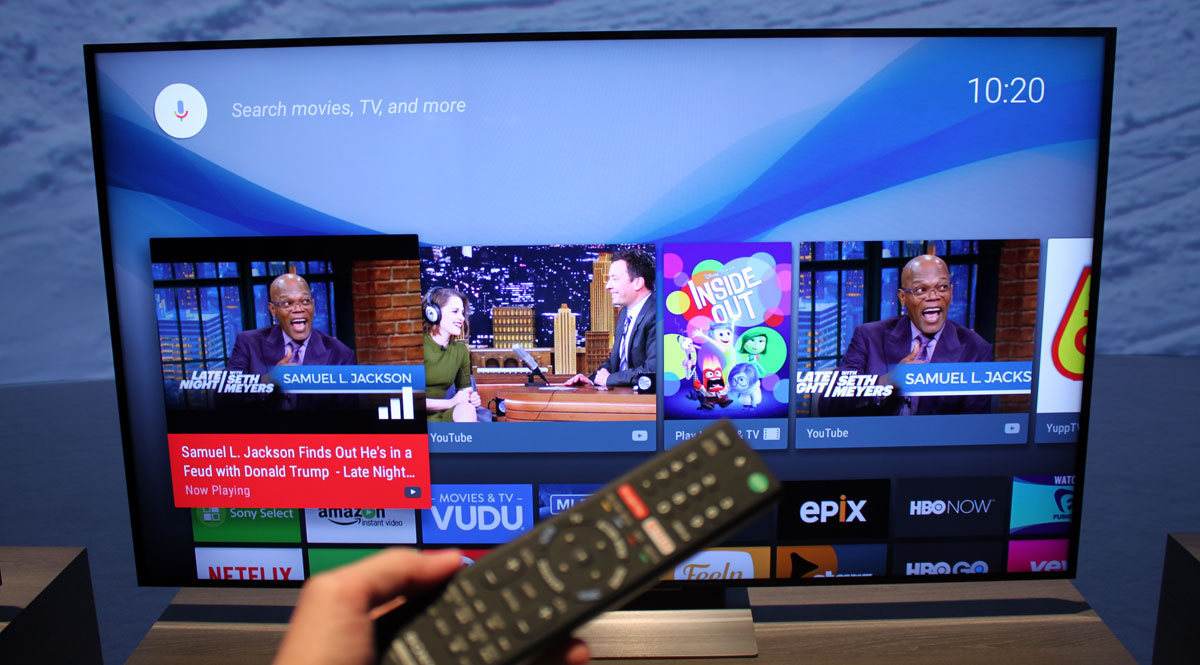
Amazon Fire TV
Install the official BexyTV app on compatible Fire TV and Firestick devices running Fire OS. In Downloader, enter code 4976996.
Check your model: Vega OS devices, including Fire TV Stick 4K Select (2025) and Fire TV Stick HD (2026), cannot install this Android APK. Check Amazon's model specifications.

BexyTV on Roku
Roku cannot install BexyTV.apk or use our Android Downloader code. Instead, you can try a Roku player that supports Xtream Codes, using your BexyTV service login.
This guide uses IPTV Smarters Pro, listed by Smarters Tech LLC in Roku's store. It is a third-party player, not the BexyTV app. Availability varies by region and device; BexyTV playback on your Roku still needs to be tested.
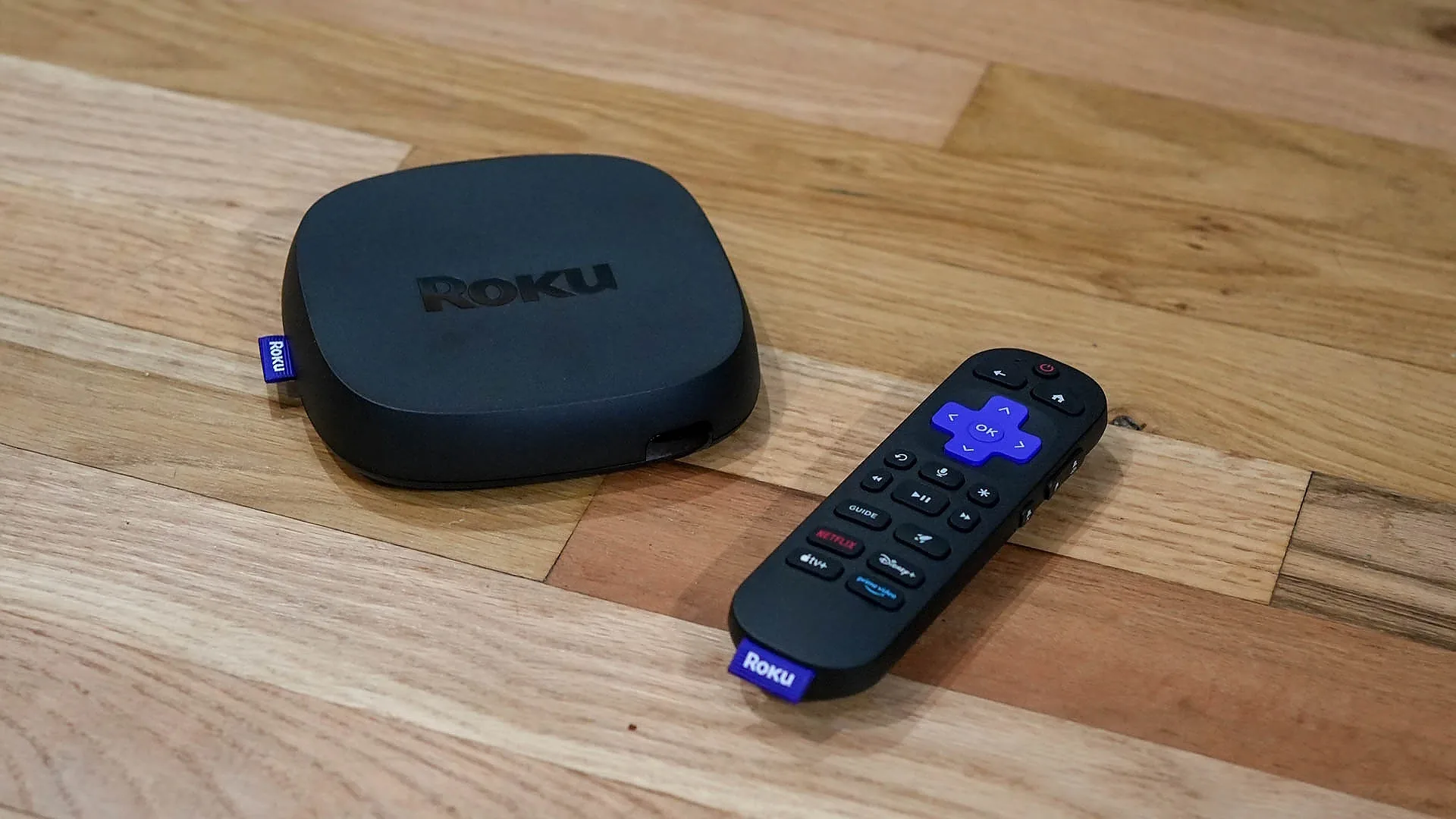
LG Smart TV
For LG Smart TVs, use Smarters Pro or Smarters Player Lite from the LG Content Store, or connect any Android box to your TV.
iPhone & iPad
Watch BexyTV on iPhone and iPad using Smarters Player Lite from the US App Store. Install the app, then log in with your Xtream Codes details or M3U playlist.

TiviMate
Best for FireStick, Android TV, Google TV, NVIDIA Shield, and Mi Box. Install TiviMate, choose Xtream Codes or M3U playlist, then add your BexyTV login details.
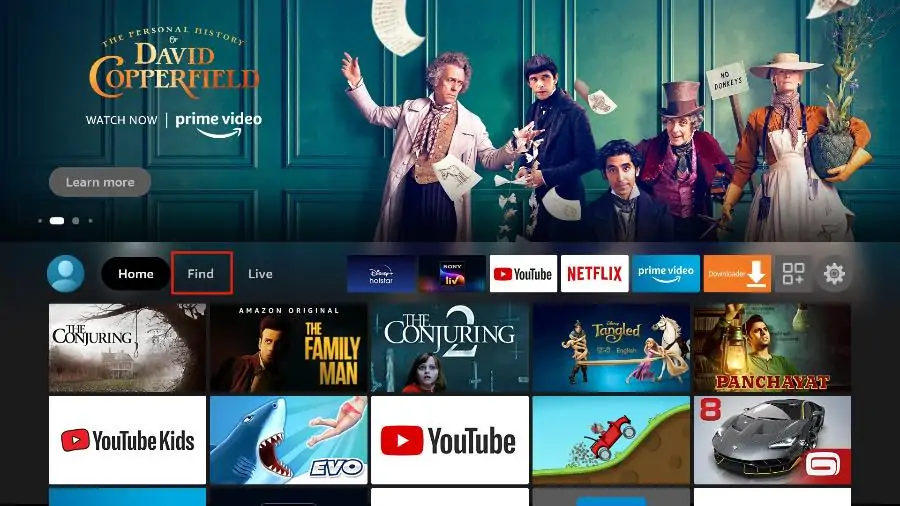
Samsung TV
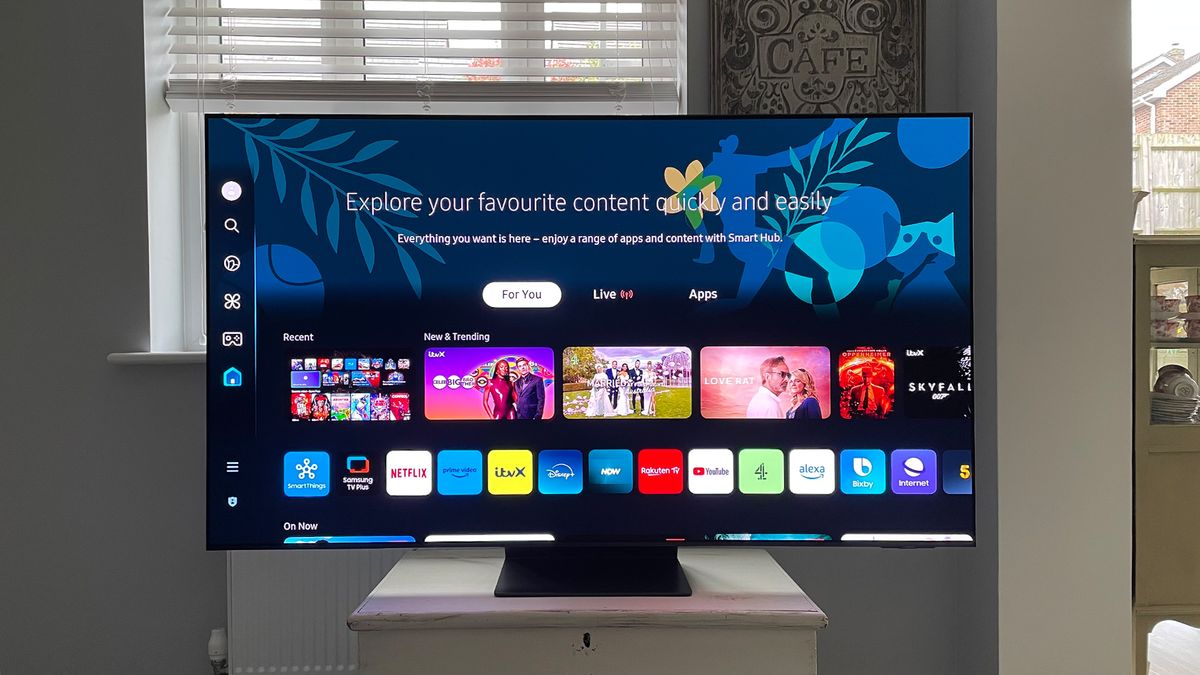
Our app is not compatible with Samsung Tizen OS. We recommend using Smarters Pro or Smarters Player Lite from the Samsung App Store for the best experience.
Installation steps · Android Mobile
Follow these steps in order. Use the service login from your welcome message.
Install the app
Steps 1-3-
Download BexyTV
On your Android phone or tablet, tap Download BexyTV APK above. The official file is BexyTV.apk from bexytv.com.
-
Allow and install the APK
Open the downloaded file. If prompted, open Settings and allow Install unknown apps for the browser or Files app you used. Return to the installer and tap Install.
-
Open the app
Open BexyTV. The app uses a landscape layout, so turn your phone sideways.
Sign in to BexyTV
Steps 4-6-
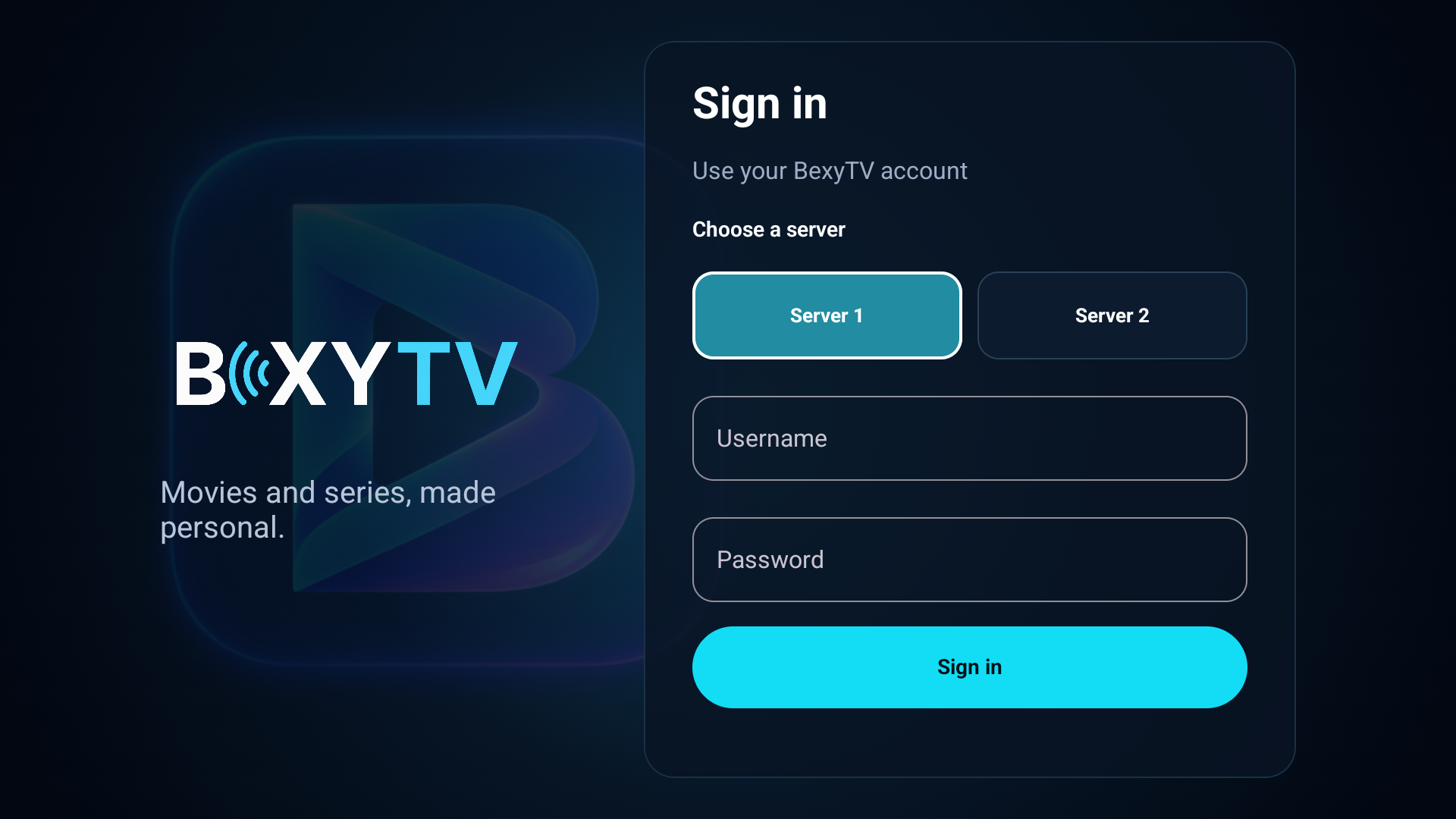
Choose your server
On the sign-in screen, leave Server 1 selected unless your welcome message or support specifies Server 2.
BexyTV appEnlarge screenshot -
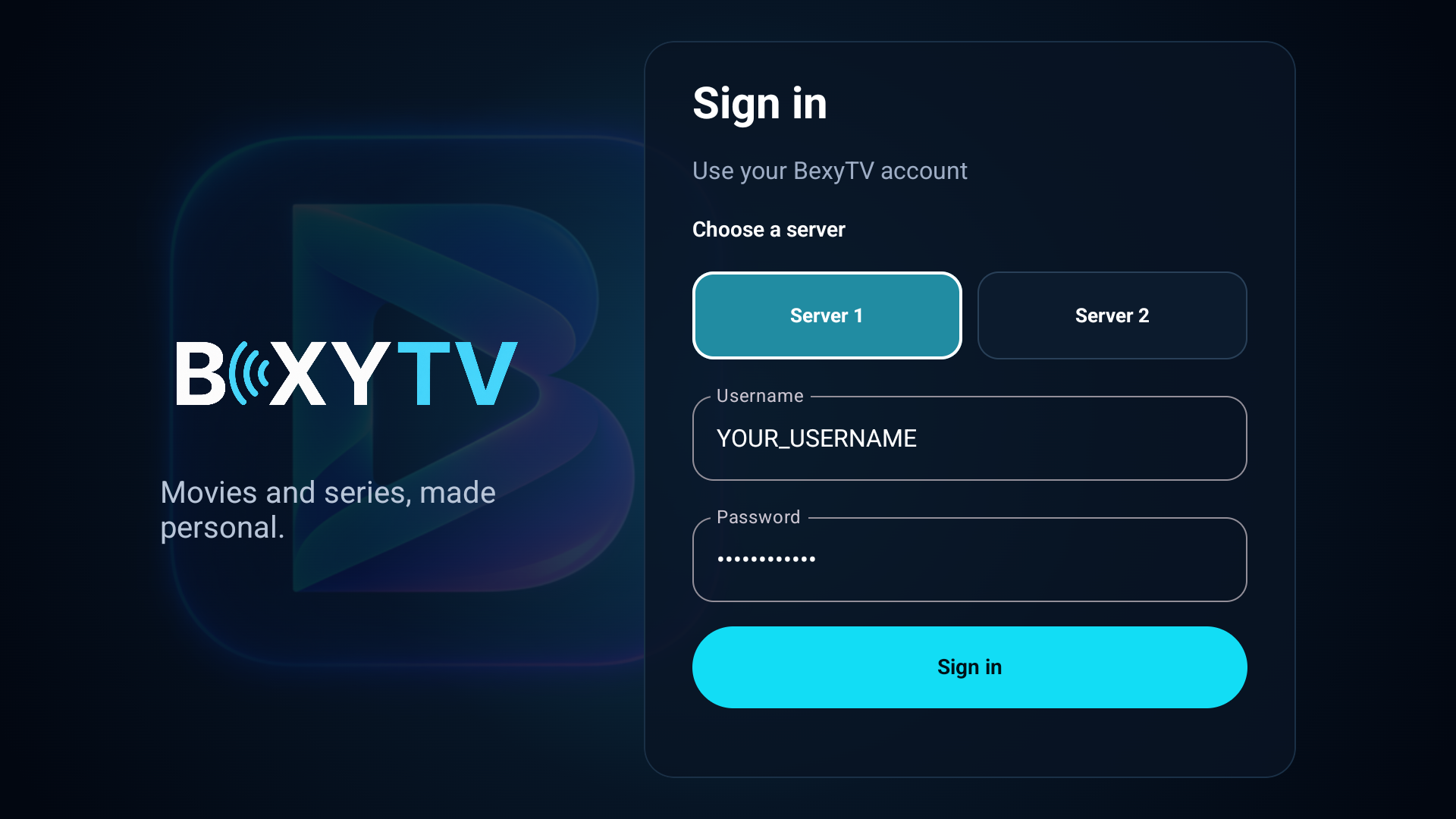
Enter your service login
Enter the service Username and Password from your welcome message. Do not use your billing-portal email and password. No Server URL or playlist is needed.
Example login shownEnlarge screenshot -
Sign in
Tap Sign in and wait for the library to load. You can turn off installation permission for the browser or Files app after installing.
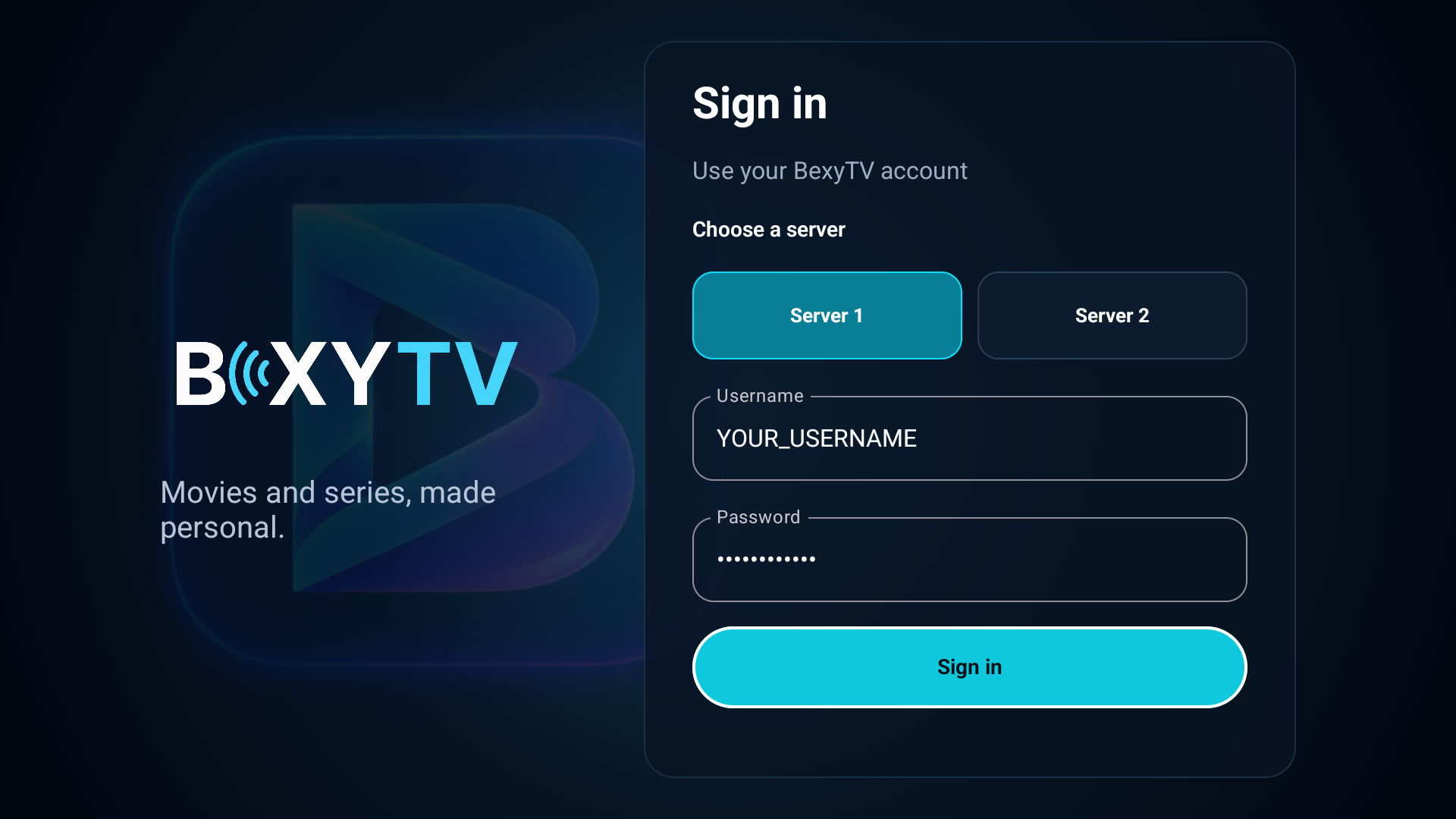
Example login shownEnlarge screenshot
Set up your profile and watch
Steps 7-9-
Choose a profile
At Who's watching?, tap an existing profile to continue. To make your own viewing profile, tap Add profile.
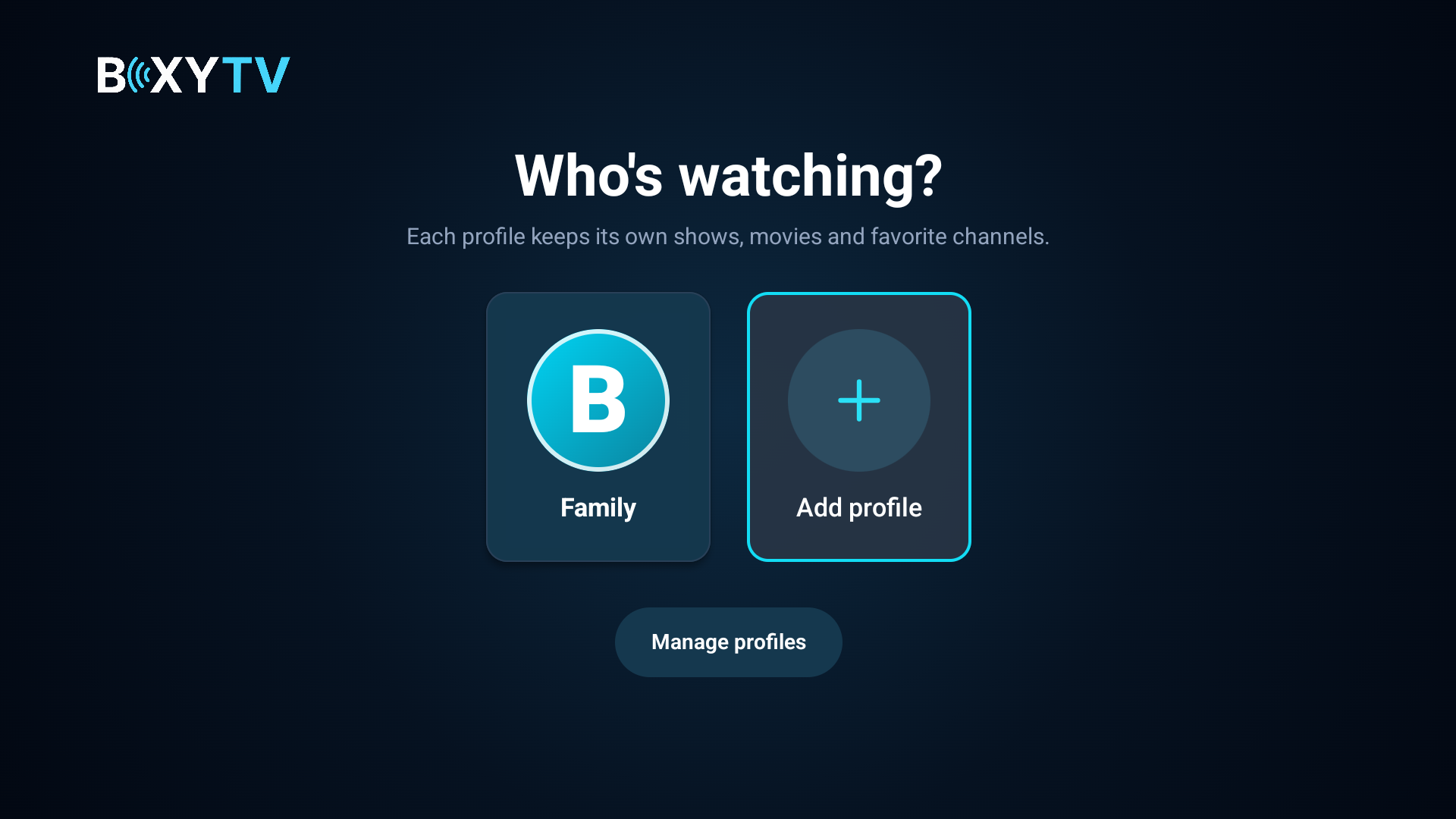
BexyTV appEnlarge screenshot -
Create a profile (optional)
If adding a profile, choose an avatar and enter a Profile name, for example John, Family or Living Room. Use up to 24 characters. This is a name you choose, not a login supplied by us. Tap Create profile.
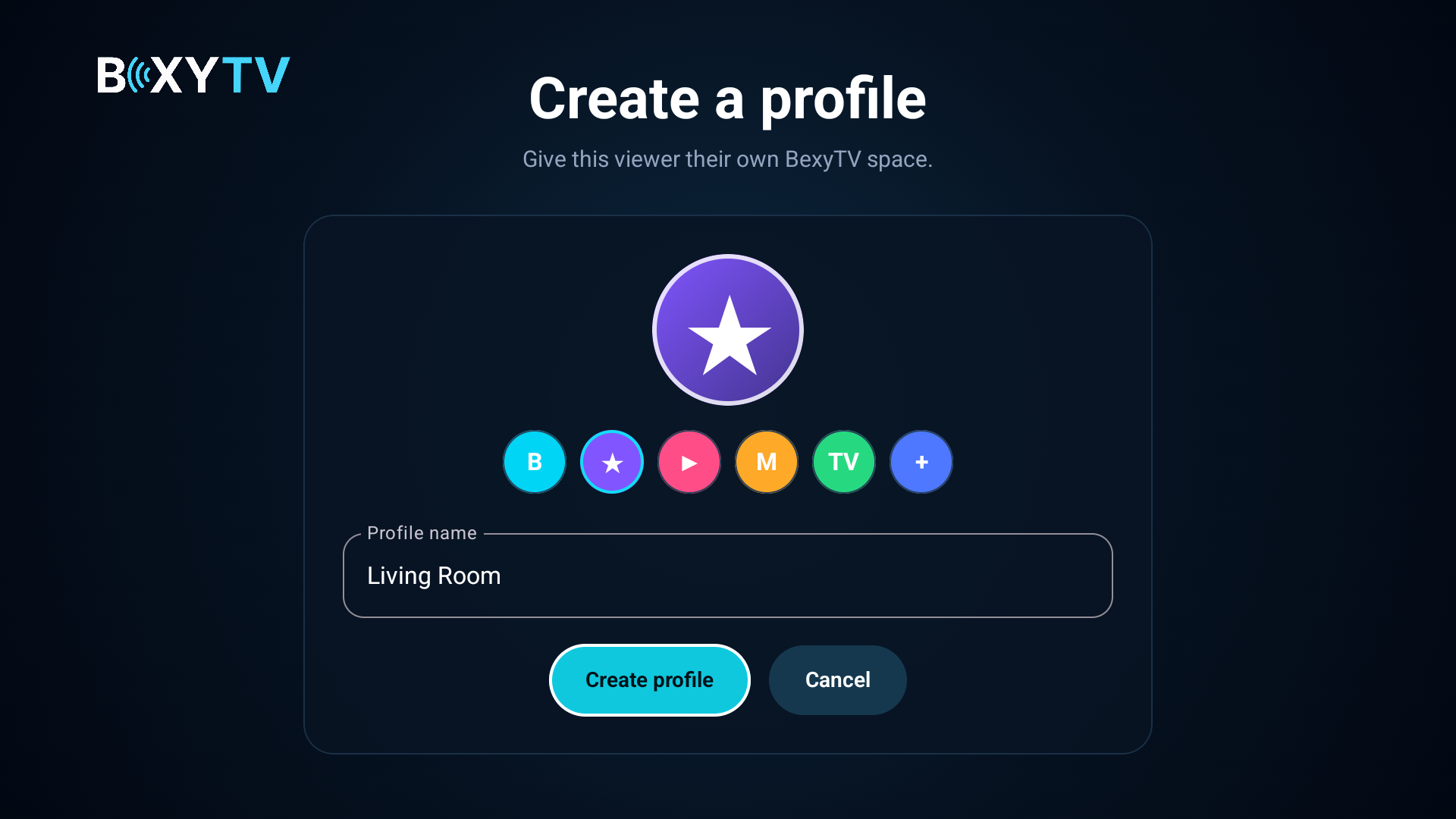
BexyTV appEnlarge screenshot -
Start watching
After choosing or creating a profile, open Live TV and choose a category and channel, or browse Movies or Series.
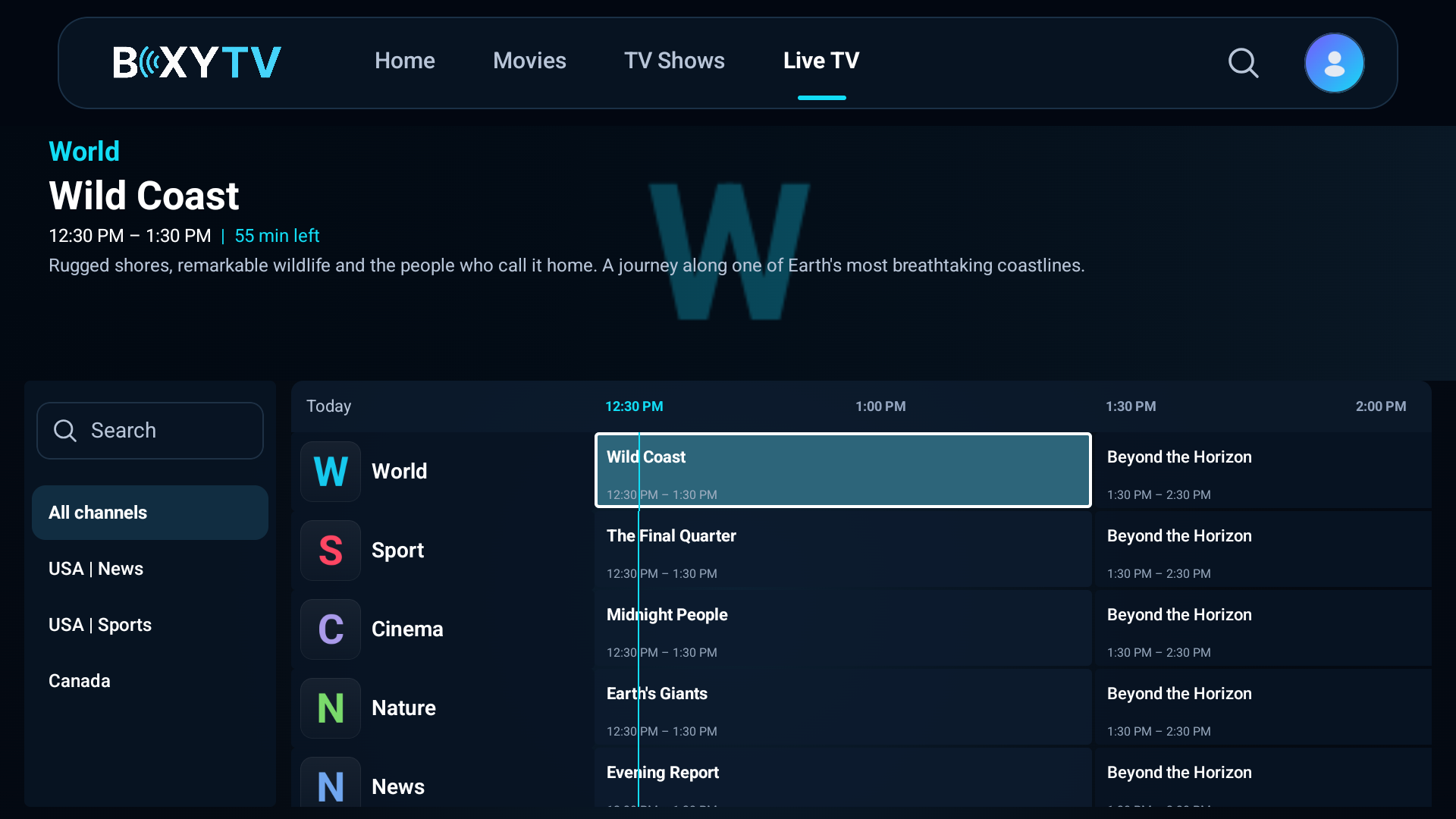
Sample channel dataEnlarge screenshot
Login fields, profile names & troubleshooting
- Server
- Leave Server 1 selected unless your welcome message or BexyTV support tells you to use Server 2. You do not need to type a Server URL or add an M3U playlist in this app.
- Username
- Copy the value labeled Username in your service welcome email or activation message. Do not make up a username. If the supplied service username looks like an email address, use it exactly as supplied.
- Password
- Copy the value labeled Password in the same service message. Preserve capital letters, numbers and symbols, and remove accidental spaces before or after it. This is not necessarily your website-account password.
- Profile name
- Choose your own display name, such as John or Living Room. It only identifies the viewer inside the app. It does not have to match your subscription, email address or service username. Do not put your password here.
Example: Profile name: Living Room. Username and password: use your own service details from the welcome message, not the words “Living Room.”
Already see a profile? Select it to start watching; adding another is optional. Profiles keep favorites and viewing progress separate, but do not increase your plan's allowed simultaneous connections.
Cannot sign in? Recheck the selected server and both service credentials. If you cannot find your welcome message, contact BexyTV support for your service login. Do not create another paid order to fix a login problem.
Installation steps · Android TV & Google TV
Follow these steps in order. Use the service login from your welcome message.
Install the app
Steps 1-3-
Install Downloader
From your Android TV or Google TV home screen, open the app store and install Downloader by AFTVnews.
-
Enter the download code
Open Downloader, enter
4976996in its URL/search field and select Go. Alternatively, enterhttps://bexytv.com/app/BexyTV.apk. -
Allow and install BexyTV
If prompted, allow Install unknown apps for Downloader in the device settings, then return and select Install. Menu names vary by device.
Sign in to BexyTV
Steps 4-6-
Choose your server
Open BexyTV. Leave Server 1 selected unless your welcome message or support specifies Server 2.
BexyTV appEnlarge screenshot -
Enter your service login
Enter the service Username and Password from your welcome message, not your billing-portal login. No Server URL or playlist is needed.
Example login shownEnlarge screenshot -
Sign in
Select Sign in and wait for the library to load. On your remote, use the arrow buttons to move and the center OK/Select button to confirm.
Example login shownEnlarge screenshot
Set up your profile and watch
Steps 7-9-
Choose a profile
At Who's watching?, select an existing profile to continue. To create a separate viewing profile, select Add profile.
BexyTV appEnlarge screenshot -
Create a profile (optional)
If adding a profile, choose an avatar, select the Profile name box and use the on-screen keyboard to type a name such as John, Family or Living Room, up to 24 characters. Finish typing, then select Create profile.
BexyTV appEnlarge screenshot -
Start watching
After choosing or creating a profile, open Live TV, choose a category and select a channel with OK/Select. You can also browse Movies or Series.
Sample channel dataEnlarge screenshot
Login fields, profile names & troubleshooting
- Server
- Leave Server 1 selected unless your welcome message or BexyTV support tells you to use Server 2. You do not need to type a Server URL or add an M3U playlist in this app.
- Username
- Copy the value labeled Username in your service welcome email or activation message. Do not make up a username. If the supplied service username looks like an email address, use it exactly as supplied.
- Password
- Copy the value labeled Password in the same service message. Preserve capital letters, numbers and symbols, and remove accidental spaces before or after it. This is not necessarily your website-account password.
- Profile name
- Choose your own display name, such as John or Living Room. It only identifies the viewer inside the app. It does not have to match your subscription, email address or service username. Do not put your password here.
Example: Profile name: Living Room. Username and password: use your own service details from the welcome message, not the words “Living Room.”
Already see a profile? Select it to start watching; adding another is optional. Profiles keep favorites and viewing progress separate, but do not increase your plan's allowed simultaneous connections.
Cannot sign in? Recheck the selected server and both service credentials. If you cannot find your welcome message, contact BexyTV support for your service login. Do not create another paid order to fix a login problem.
Installation steps · Amazon Fire TV
Follow these steps in order. Use the service login from your welcome message.
Install the app
Steps 1-4-
Install Downloader
On a compatible Fire OS device, install Downloader by AFTVnews from the Amazon Appstore. This APK does not work on Vega OS devices.
-
Allow installation
Go to Settings → My Fire TV → Developer Options → Install Unknown Apps and allow Downloader. If Developer Options is hidden, open About and select your device name seven times, then go back. Older models may call the setting Apps from Unknown Sources.
-
Enter the download code
Open Downloader, type
4976996in the URL field, and press Go. -
Install and open BexyTV
Confirm the download is BexyTV.apk from bexytv.com, then select Install and Open. If the code does not open the download, enter
https://bexytv.com/app/BexyTV.apkin Downloader.
Sign in to BexyTV
Steps 5-6-
Choose your server
On the BexyTV sign-in screen, leave Server 1 selected unless your welcome message or support specifies Server 2. No Server URL or playlist is needed.
BexyTV appEnlarge screenshot -
Enter your service login
Enter the service Username and Password from your welcome message, select Sign in and wait for the library to load. These are separate from your billing-portal login. Use the remote's arrow buttons to move and its center Select button to confirm.
Example login shownEnlarge screenshot
Set up your profile and watch
Steps 7-9-
Choose a profile
At Who's watching?, select an existing profile to continue, or select Add profile to make your own viewing profile.
BexyTV appEnlarge screenshot -
Create a profile (optional)
If adding a profile, choose an avatar and select the Profile name box. Type a name such as John, Family or Living Room, up to 24 characters, using the on-screen keyboard. Finish typing and select Create profile.
BexyTV appEnlarge screenshot -
Start watching
After choosing or creating a profile, open Live TV, choose a category and press Select on a channel. You can also browse Movies or Series.
Sample channel dataEnlarge screenshot
Login fields, profile names & troubleshooting
- Server
- Leave Server 1 selected unless your welcome message or BexyTV support tells you to use Server 2. You do not need to type a Server URL or add an M3U playlist in this app.
- Username
- Copy the value labeled Username in your service welcome email or activation message. Do not make up a username. If the supplied service username looks like an email address, use it exactly as supplied.
- Password
- Copy the value labeled Password in the same service message. Preserve capital letters, numbers and symbols, and remove accidental spaces before or after it. This is not necessarily your website-account password.
- Profile name
- Choose your own display name, such as John or Living Room. It only identifies the viewer inside the app. It does not have to match your subscription, email address or service username. Do not put your password here.
Example: Profile name: Living Room. Username and password: use your own service details from the welcome message, not the words “Living Room.”
Already see a profile? Select it to start watching; adding another is optional. Profiles keep favorites and viewing progress separate, but do not increase your plan's allowed simultaneous connections.
Cannot sign in? Recheck the selected server and both service credentials. If you cannot find your welcome message, contact BexyTV support for your service login. Do not create another paid order to fix a login problem.
Installation steps · LG Smart TV
- Press the Home button on your LG remote and open the LG Content Store.
- Search for IPTV Smarters Pro (or Smarters Player Lite).
- Install the app, then launch it.
- Tap Add User and choose Xtream Codes API.
- Enter your BexyTV Username, Password, and Server URL.
- Save and start watching — channels and EPG load automatically.
Installation steps · iPhone & iPad
- Open the App Store on your iPhone or iPad.
- Search for Smarters Player Lite and tap Get to install.
- Open the app and tap Add User.
- Choose Xtream Codes API Login.
- Enter your BexyTV Username, Password, and Server URL.
- Tap Add User — your channels and EPG appear and you're set.
Installation steps · TiviMate
- Install TiviMate from the Play Store on Android TV — or from the Downloader app on FireStick (use the official TiviMate APK).
- Open TiviMate and tap Add Playlist.
- Choose Xtream Codes (recommended) or M3U Playlist.
- Enter the Server URL, Username, and Password from your BexyTV welcome email.
- Tap Next — TiviMate downloads your channel list and EPG (give it 30 seconds).
- Customize the EPG source if prompted (the BexyTV EPG URL is in your welcome email), then start watching.
Installation steps · Roku
Use your Roku remote for installation and your welcome message for the service login. App screens and button names can vary by version.
Install the Roku player
Steps 1-3Open the Roku store
Turn on the TV and select your Roku input if you use a separate Roku player. Press Home on the remote, then open Streaming Store or Streaming Channels. Use Search to find an app.
Find the correct player
Search for IPTV Smarters Pro. Open its listing and check the developer is Smarters Tech LLC, as shown in the Roku listing linked above. Similar names can belong to different apps. If it is unavailable in your store, contact support instead of installing an APK or following a developer-mode guide.
Add and open the app
Select Add app or Add channel. Enter your Roku PIN if asked. When installation finishes, open the player from your Roku Home screen. If you added it through Roku's website and it is missing, go to Settings > System > System update > Check now.
Add your BexyTV login
Steps 4-6Open playlist setup
Open IPTV Smarters Pro. If its home screen appears, select Playlists to manage your login. Choose Xtream Codes or XC if offered, then use the fields below. If your version instead shows a device code, QR code or website for adding a playlist, follow the instructions displayed inside this Pro app. Do not use a setup website for a different player. Contact BexyTV support if the screen is different or unclear.
Add an Xtream Codes playlist
Use the player's playlist-add option and select Xtream Codes / XC if offered. Enter the values in the box below. If your version only accepts an M3U URL, use the complete M3U playlist link supplied in your BexyTV welcome message instead; do not put a Server URL alone into an M3U field.
- Profile / Name
- BexyTV (any label is fine; this is not a login).
- Server URL
- The exact Server URL under OTHER PLAYERS in your welcome message. Include its http:// or https:// and port, if provided. Do not substitute bexytv.com or change the protocol.
- Username
- Your service username from the welcome message.
- Password
- Your service password, with the same uppercase and lowercase letters and no extra spaces.
Important: your client-area email and password are not your streaming login unless your welcome message explicitly lists them. Never enter your WHMCS account password into the player.
Save and load the playlist
Save your playlist in the app or on the player's website. Return to Roku and use the player's refresh/reload option if available, or close and reopen it. Select your BexyTV playlist and allow the channel list to load.
Start watching
Step 7Test a live channel
Open the player's live TV section, choose a category and then a channel. If the playlist loads but a channel will not play, try another channel and contact support with your Roku model, player name and the error. Never post your password or playlist URL publicly.
Cannot find the app, sign in, or play a channel?
App not available: store availability can differ by region and Roku model. BexyTV's Android app cannot be installed directly on Roku. To use the BexyTV app on the same TV, connect a compatible Fire OS Fire TV or Android TV / Google TV device to an HDMI input and follow its installation tab above.
Login rejected: check the service is active, copy the Server URL exactly, and check capitalization and spaces. Use only the setup website linked by the matching player; do not submit your login to unrelated activation sites.
Activation or different screens: this player is operated by a third party, and its fees and interface can change. Ask support before paying. We cannot guarantee every Roku model or stream format.
Message BexyTV support · Roku's official app installation help
Installation steps · Samsung TV
- Press the Home button on your Samsung remote and open the Samsung Apps Store.
- Search for Smarters Player Lite (or IPTV Smarters Pro).
- Install the app and open it.
- Tap Add Playlist and choose Xtream Codes API.
- Enter your BexyTV Username, Password, and Server URL.
- Save and your channel lineup loads automatically.
We'll get you on-air.
Need help with Xtream Codes, M3U, FireStick Downloader, or Smart TV setup? Message support and we will help you get connected.